In closed testing
 Garden Journal
Your plants deserve tiny hats.
Garden Journal
Your plants deserve tiny hats.
A free, cozy pixel-art plant journal for Android. Draw tiny hats in the Hat Studio, fit them to your plants with one tap, and get a gentle nudge when it’s time to water.
Coming soon to Google Play · Android only
- Free
- No ads
- No account
- Works offline
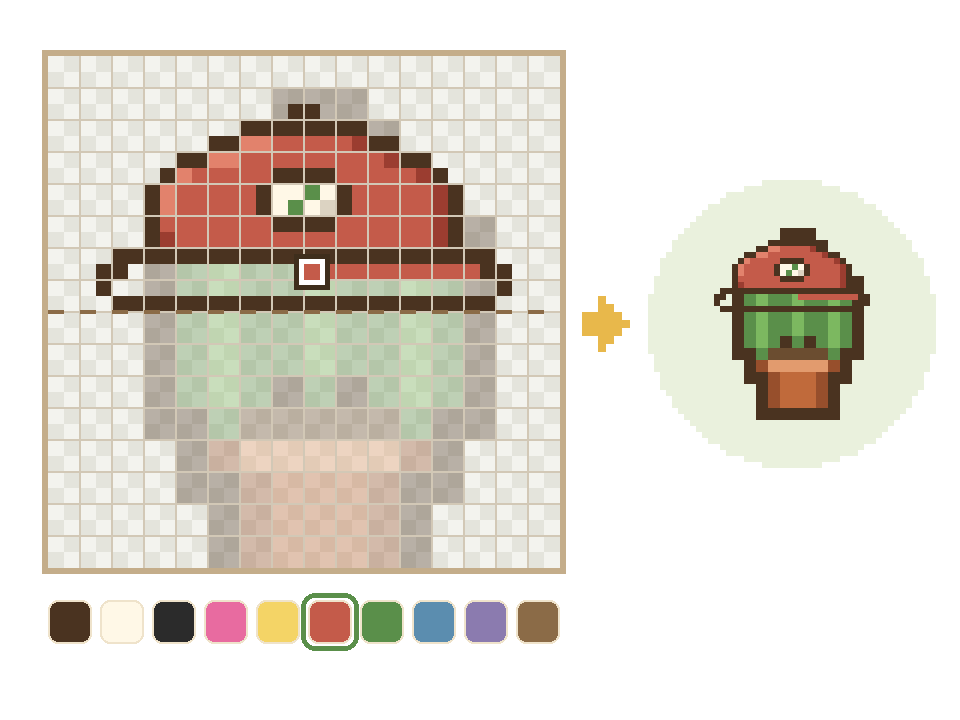
Hat Studio
Draw a hat, pixel by pixel.
Hat Studio is a real pixel editor built for one very important job: tiny hats. Your plant shows faintly under the canvas, so you always know where its head is, and a try-on strip shows the hat on your real plants while you draw.
- A 32×32 canvas, or 64×64 when you want finer detail
- Pencil, eraser, fill, line, rectangle, ellipse, move, select and an eyedropper
- Mirror mode paints both sides at once, for perfectly even hats
- 50 undos (and redo), pinch to zoom up to ×8, and a precision cursor for exact pixels
- Start blank, from a template (cap, beanie, bow or crown), from a hat you’ve earned, or from any PNG
- Name your hats, with room for 5 of your own (hats you earn don’t count)
- If your phone closes the app mid-drawing, your unsaved hat waits for you
- Mirror
- Fill
- 50 undos
- Fine 64×64
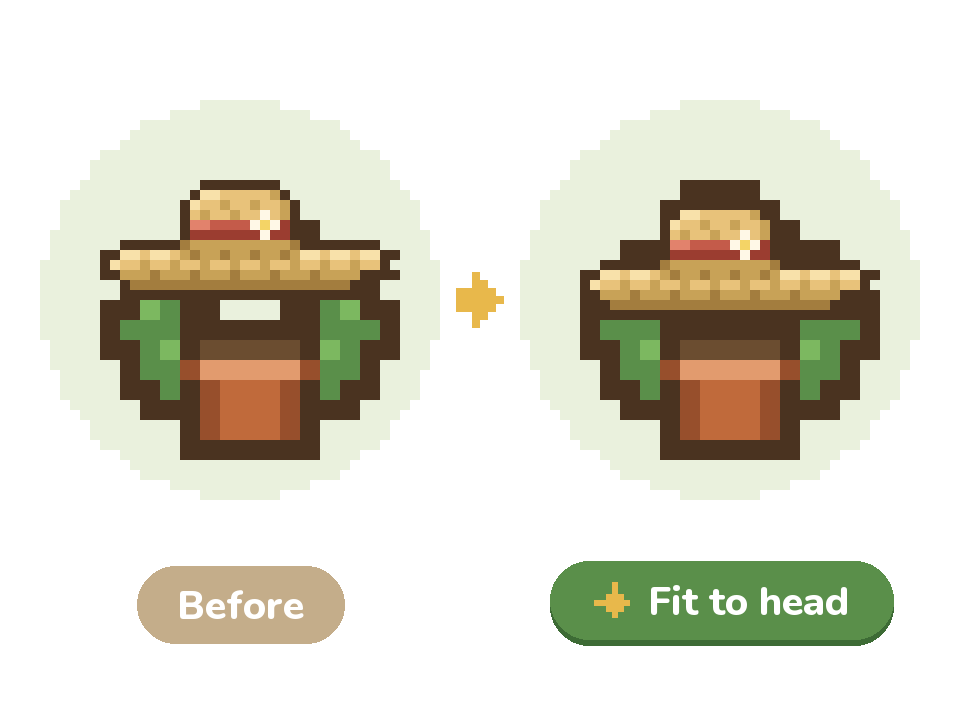
Fit to head
One tap. Right on their head.
Every built-in hat is drawn for a generic plant, and real plants come in all shapes. Fit to head moves the hat onto your plant’s own head in one tap, whether it’s a tall snake plant or a short, stubby succulent.
- Nudge the hat by whole pixels, flip it, or switch on Small head for a half-size hat
- On your plant’s cover photo, drag the hat into place, pinch to resize it, or hide it on that photo
- “Fit hats to every plant” seats every hat at once, and hats you placed by hand stay put
- Choose the hat your garden wears: one you drew or one you earned
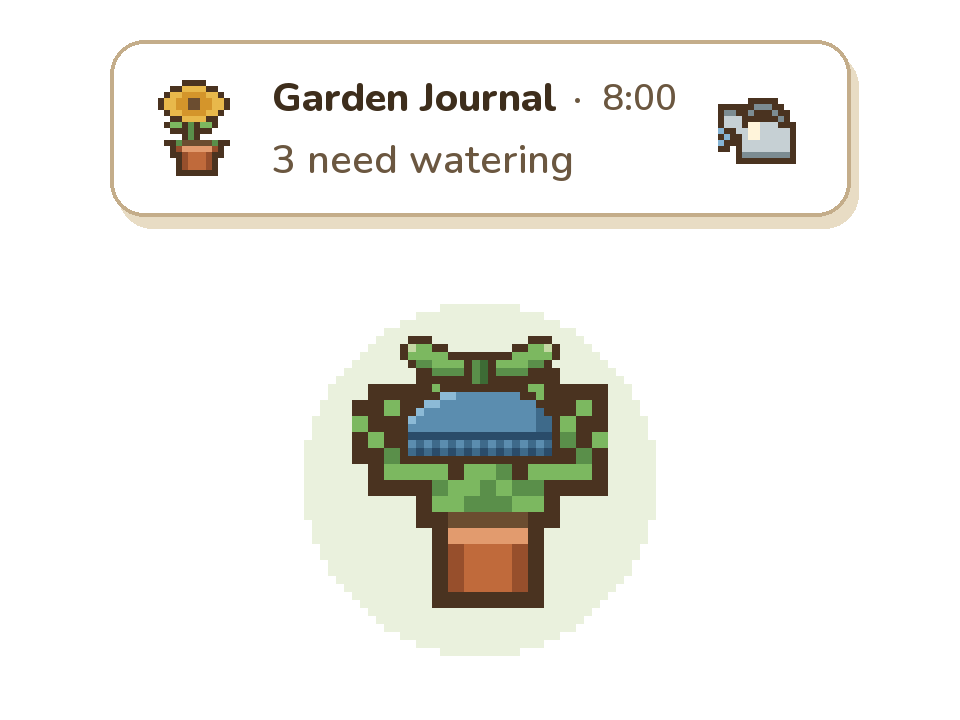
Care reminders
Water day? We’ll nudge you.
Add a plant, pick its type, and its schedule fills itself in. Garden Journal starts each of its 67 plant types on a gentle, beginner-friendly schedule, and you can change anything.
- Watering, fertilizing and leaf cleaning, plus your own tasks like “rotate” or “check for pests”
- One daily summary instead of a ping for every plant, around the time you choose (8:00 AM to start)
- Water everything that’s due in one go, or a whole group at once
- Long-press a plant to log care in a second
- Forgot to log it? Say whether you did it on time or are doing it now, and the schedule adjusts
- A home-screen widget shows what’s due today
- A gentle care streak that never scolds you for a missed day
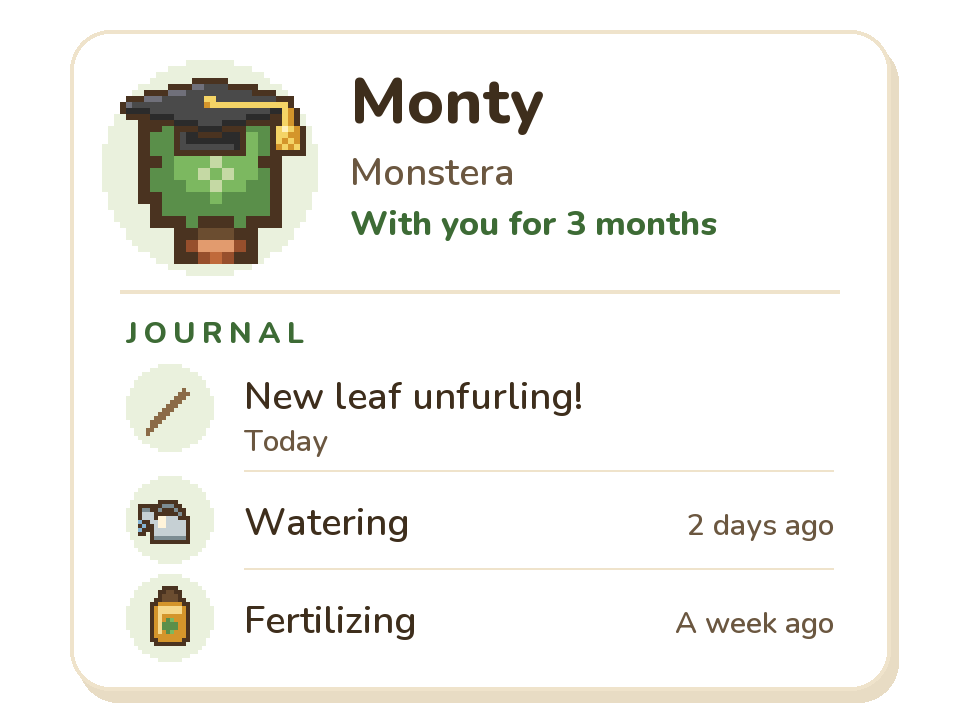
Journal & photos
Every plant gets a journal.
Each plant has its own page: a care history that writes itself, notes for whatever you noticed, and a photo timeline of how it’s grown. And yes, the hat shows up on the photos too.
- Notes with an optional photo, for the new leaf, the repot or the mystery spot
- A growth timeline of photos, newest first
- Share a plant’s story: a pixel portrait card showing how long you’ve grown it together (it never includes your photos)
- Group plants that share a routine, with 10 colors to tell the groups apart
- Archive plants you’ve given away or lost, and keep their history
Earn hats
Seven hats to earn.
Some hats you draw. These you earn, just by looking after your plants. Care adds up across your whole garden, and it’s a total, not a streak, so a missed day can never cost you a hat.
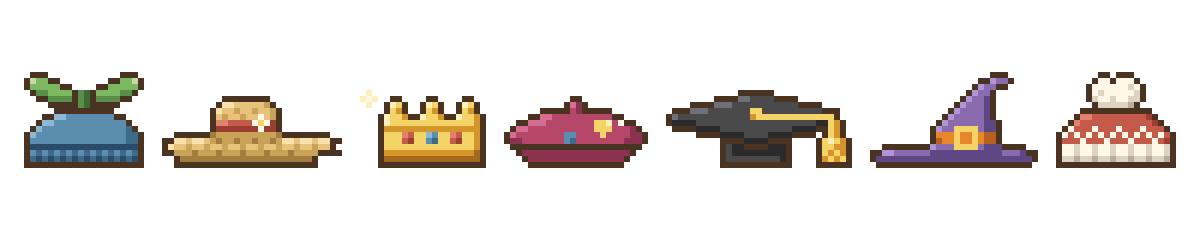
- Sprout Cap
- Log care 10 times
- Straw Sun Hat
- Log care 50 times
- Golden Crown
- Log care 100 times
- Artist Beret
- Add your first plant photo
- Scholar Cap
- Write your first journal note
- Witch Hat
- Open the app in October
- Winter Beanie
- Open the app in December or January
Seasonal hats come back every year, they’re yours to keep once you’ve earned them, and they wait until you’ve added your first plant.
Also free: The Garden Party theme puts a party hat on every plant. And once a plant has been in Garden Journal for a full year, it wears a birthday cake on its plant-iversary.
Private by design
Your garden stays on your phone.
“Garden Journal keeps everything you enter on your phone. We never see it.”
- No account and no sign-in
- No ads, no analytics, no tracking, no crash reporting
- The app has no internet access, so it can’t send your data anywhere
- Your plants, notes and care history live in an encrypted database on your phone
- Your garden only leaves your phone when you export a backup or share a card yourself
Backups include your photos and hats. The backup file isn’t encrypted, so keep it somewhere private.
FAQ
Questions, answered.
Is Garden Journal really free?
Yes. Every care feature, the Hat Studio, the seven hats you can earn and the Meadow, Meadow Night and Garden Party themes are free, and there are no ads. Optional cosmetic extras are on the way. Everything you use today stays free.
Do I need an account?
No. There’s no account and no sign-in. Open the app and add your first plant.
Where does my data go?
Nowhere. The app has no internet access, so it can’t send anything. Your garden lives in an encrypted database on your phone and only leaves if you export a backup or share a card yourself. The privacy policy has the details.
Is there an iPhone version?
Not at the moment. Garden Journal is an Android app, in English.
How do reminders work?
Instead of a ping for every plant, Garden Journal sends one daily summary, like “3 need watering”. It starts at 8:00 AM, and you can change that time or give any task its own. Android may deliver it a little late to save battery. Reminders are optional, and you can turn them off anytime.
My plant isn’t on the list. Can I still add it?
Yes. There are 67 built-in plant types, from pothos to tomatoes, and you can add your own type with any name. Built-in types start with a suggested schedule, a custom type starts blank, and you can edit any schedule anytime.
Can I share the hats I draw?
Yes. Share a hat card (your hat on a plant’s pixel art, plus its name) through Android’s share menu. The hat comes along as a PNG, so a friend with the app can upload it and wear it too. There’s no online gallery: your hats only go where you send them.
Can I move my garden to a new phone?
Yes. Back Up Garden saves everything, photos and hats included, into one file, and you choose where it goes. Restore it on your new phone. The file isn’t encrypted, so keep it somewhere private. Android’s automatic cloud backup is off for this app, so nothing gets copied without you.
Is there a dark mode?
Yes: Meadow Night, and it’s free. Pick Auto and the app follows your phone’s light or dark setting.
How do I join the closed test?
Email sofritoconrecao@gmail.com from the Google account you use on Google Play. We’ll add you to the test and send you the link. You’ll need an Android phone, and we ask testers to keep the app installed for 14 days.

Closed test
Want in early?
Garden Journal is in a closed test on Google Play. Before a new app can go public, Google asks for 12 testers who keep it installed for 14 days. Help a tiny garden app get there, and your plants get their hats first.
- Email us from the Google account you use on Google Play.
- We’ll add you to the test and send you a link.
- Open the link on your Android phone, join the test, then install Garden Journal from Google Play.
- Keep it installed for 14 days, and tell us what you think (and what hat we should draw next).
Coming soon to Google Play · Android only